Uplift K12
Project Overview
Project Length: 4 weeks
Client: Uplift K12 - a tutoring platform that provides educators the tools to guide and support students during their educational journey.
Goals:
Conduct user research to better understand how educator’s engage with their students, and how incentives motivate them to learn.
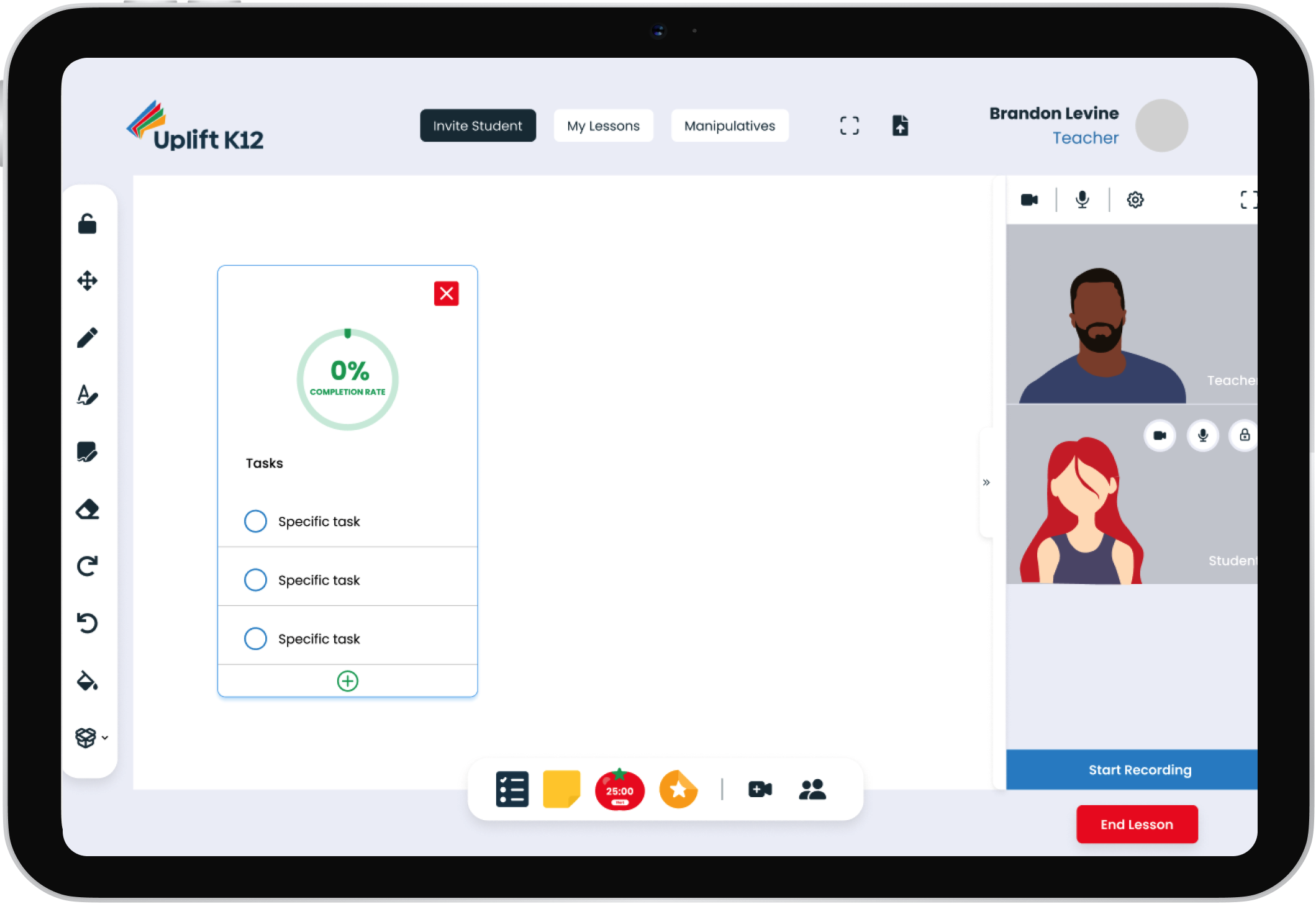
Re-design existing features and create new features on the platform that effectively eliminate user frustrations, and accomplish business goals
Team Roles:
UX Researcher
UX Designer
UI Designer
UX Manager
My Roles:
UX Researcher
UX/UI Designer
Tools:
Figma
Google Suite
Notion
Zoom
Slack
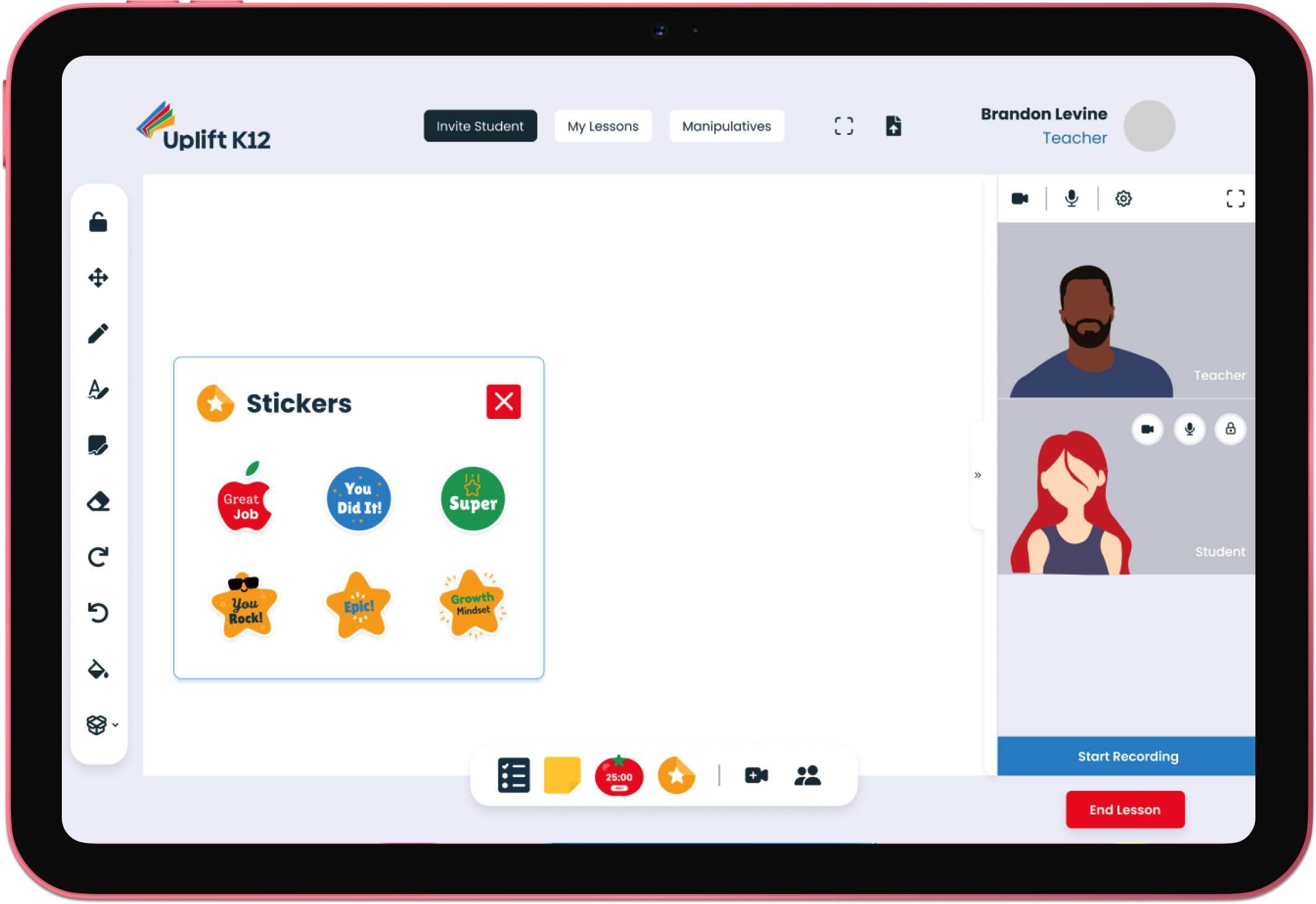
Discover
Understanding Uplift K12 and their Users
During the discovery phase, our primary focus was to gain a comprehensive understanding of the client's needs by asking open-ended questions and analyzing the challenges faced by both the client and their users. This involved identifying the information gaps and determining what we already know and what we need to learn.
Market Research
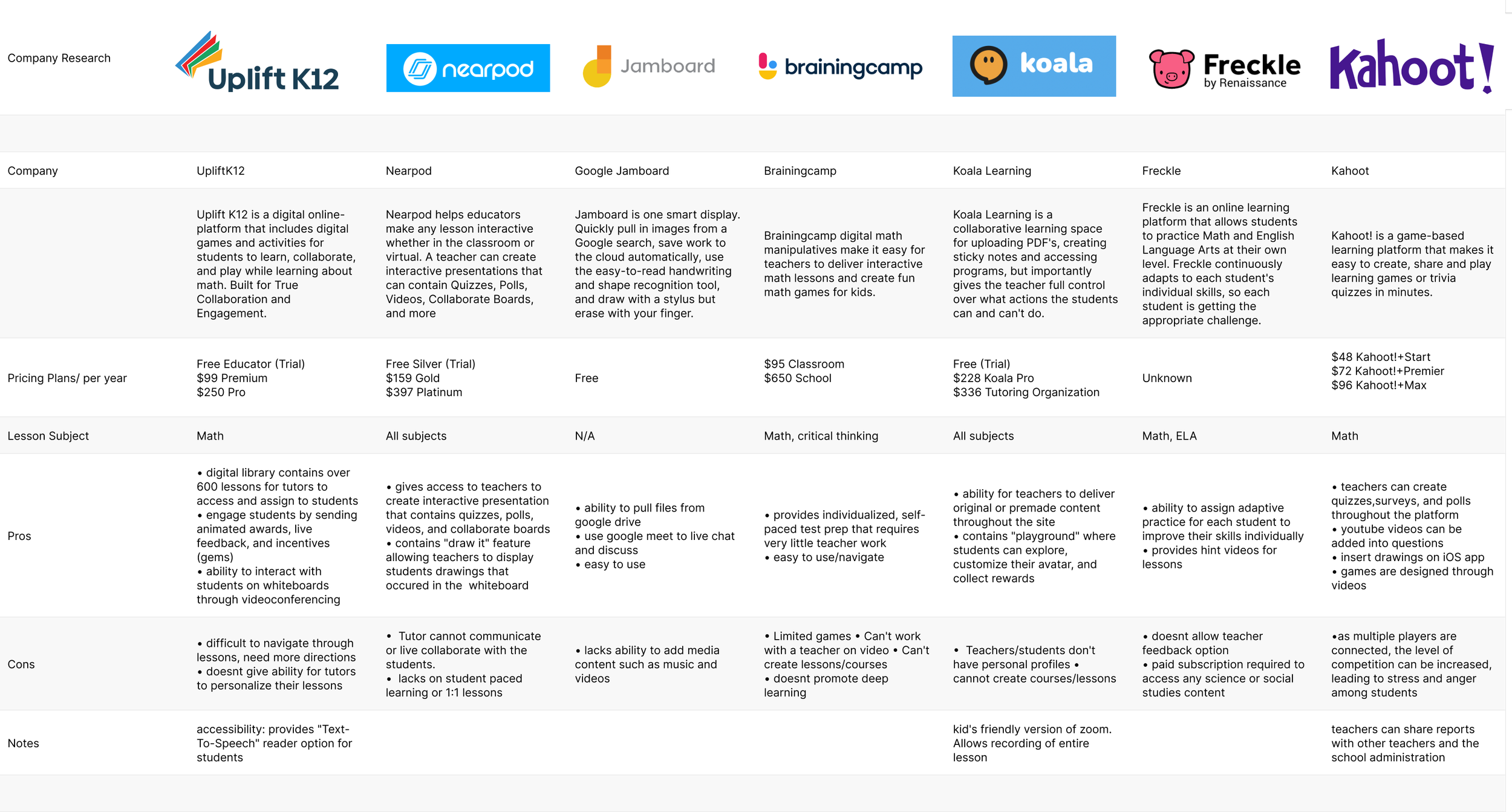
We dived a little deeper into research to gain a clearer understanding of Uplift K12 and its role in Edtech. We created a chart of competing companies with similar interactive learning platforms in order to compare.
We used a feature inventory to compare the features of our platform with those of our competitors. This tool enabled us to analyze and compare the characteristics of Uplift K12 and identify any potential trends and gaps in the market.
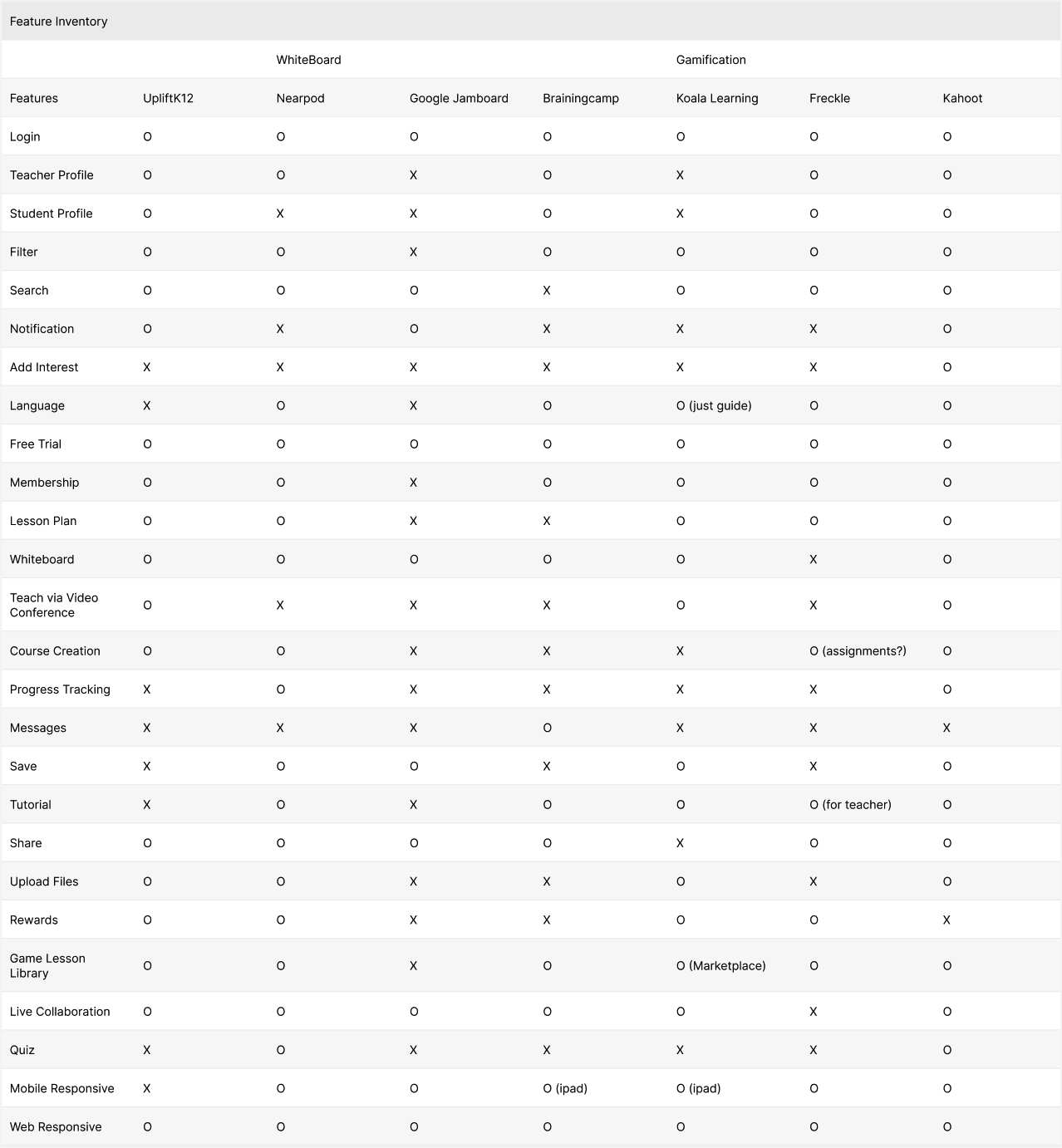
Feature Inventory
Interviewing Users
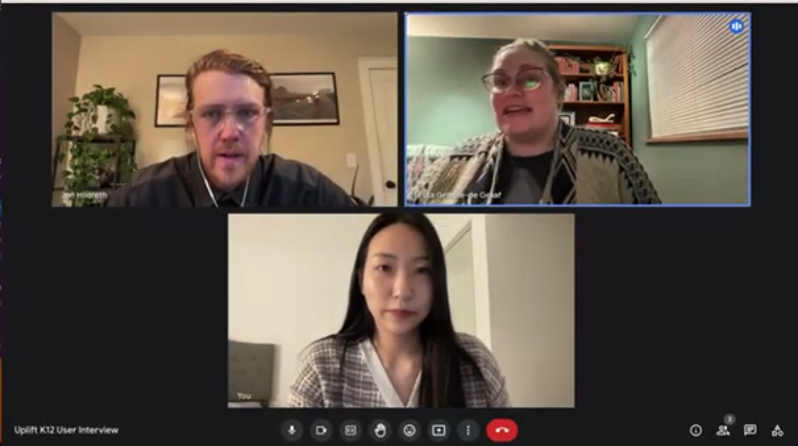
We interviewed 5 people with years of experience as Educators, some who had used Uplift K12’s platform previously.
This was very valuable as it enabled me to gain a more profound insight into the underlying reasons and incentives that drive our users to use Uplift K12, and their frustrations.
Define
Understanding and Finding Meaning in Data
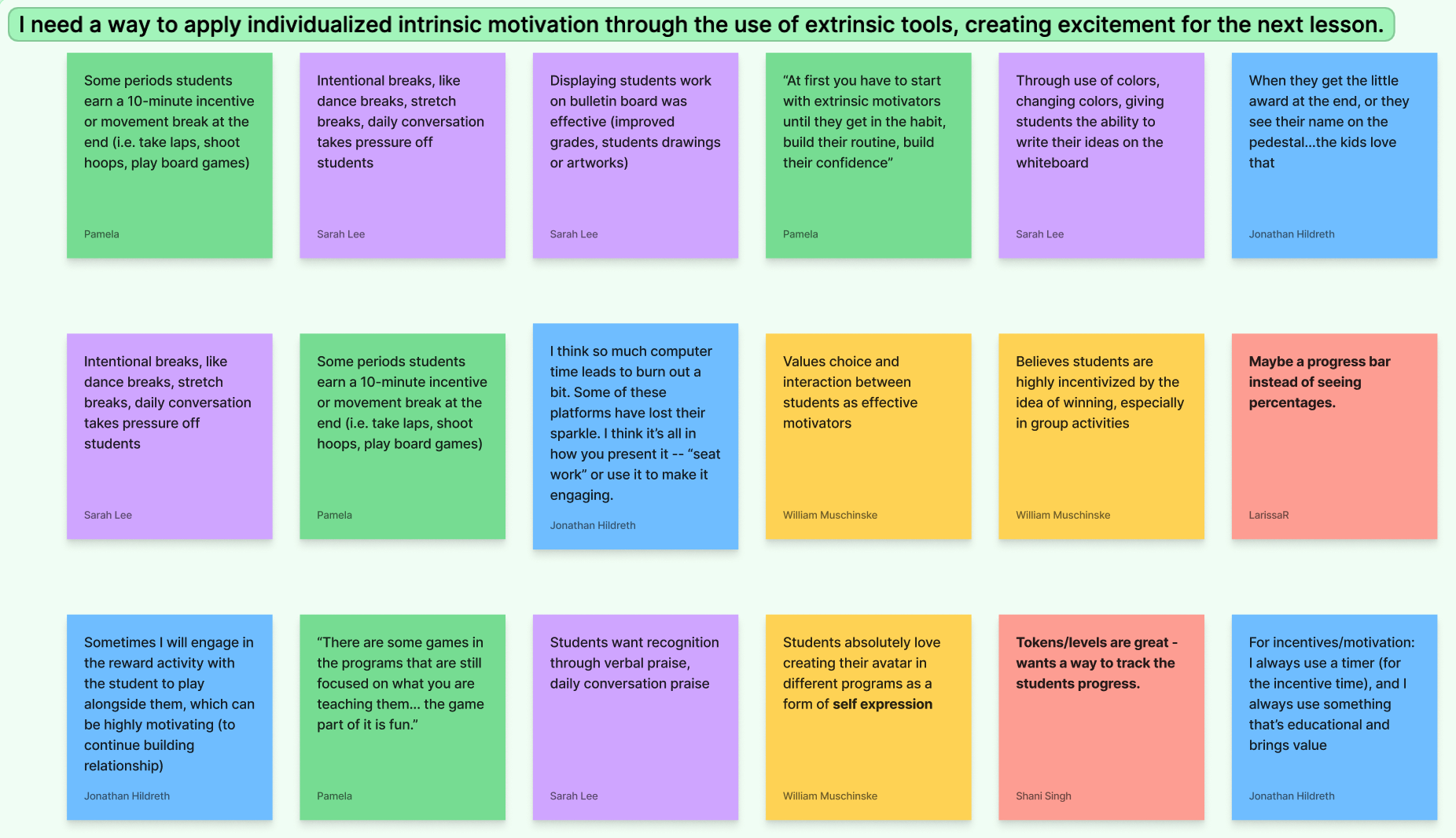
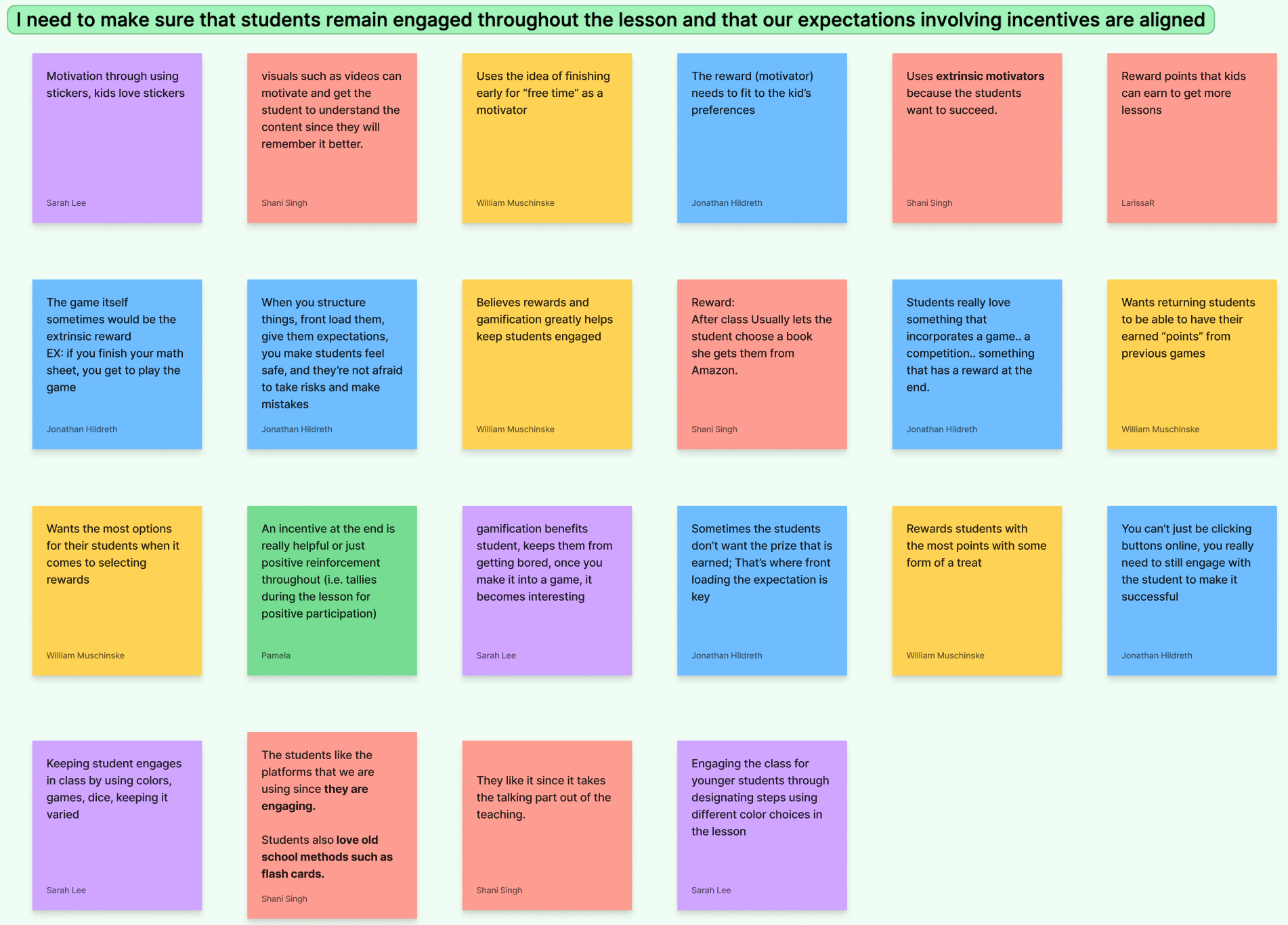
Affinity mapping is a tool that helps designers to structure and analyze qualitative data by grouping related information into clusters, which can then reveal insights and trends that might otherwise go unnoticed.
We observed some significant themes from Educators:
They need a way to apply individualized intrinsic motivation through the use of extrinsic tools (rewards and encouragement).
They need to make sure that students remain engaged throughout the lesson.
They want to make sure that students, when faced with disappointment, don’t disengage with the lesson.
User Persona
To better understand our users and how we can best design their experience, we utilized our data to develop a user persona, Brandon.
To create Brandon, we analyzed and identified some of the most prevalent traits and qualities of our primary user. Brandon’s main pain points were:
If student’s don’t feel safe making mistakes, it hinders their learning progress
When students feel discouraged by getting an answer wrong, they disengage from the learning activity
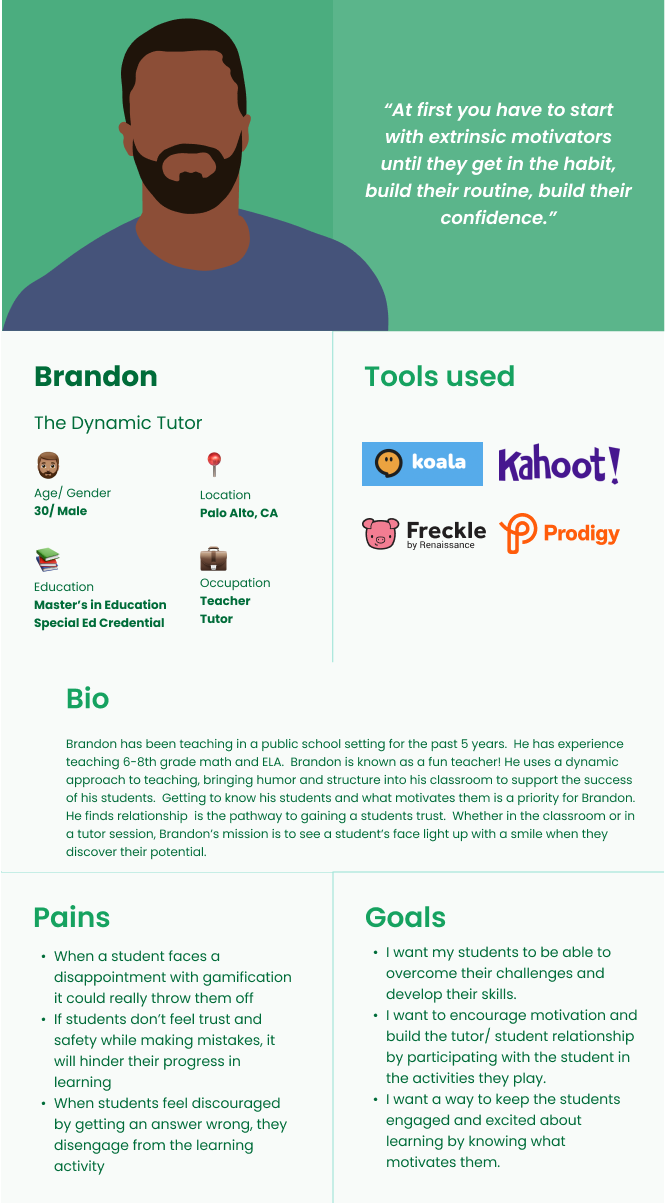
The user persona is important as it personifies our primary user group, allowing us to visualize and empathize with their experiences. This representation enables us to develop a deeper understanding of their needs, motivations, and pain points.
By keeping the user persona at the forefront of our design process, we can ensure that our solutions are aligned with the user's goals and objectives, leading to more effective and meaningful outcomes.
So, What’s the Problem...?
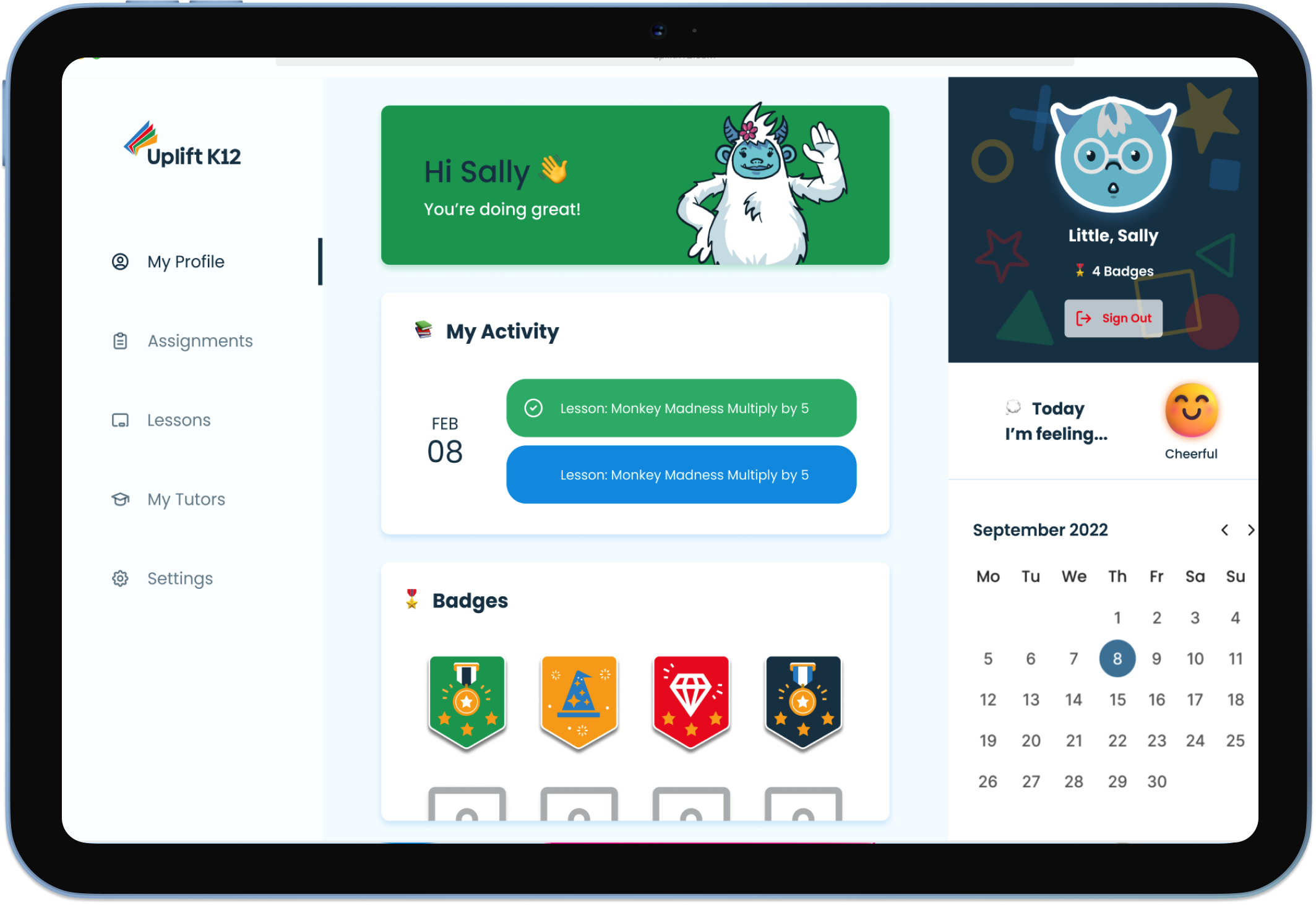
Educators want to create a gamified learning experience that encourages both student participation during tutoring, and motivation to return to subsequent lessons. The existing reward system on Uplift K12’s platform doesn’t provide an enticing and meaningful way for students to utilize earned rewards, which limits students' engagement during the gamified experience.
…And the Solution?
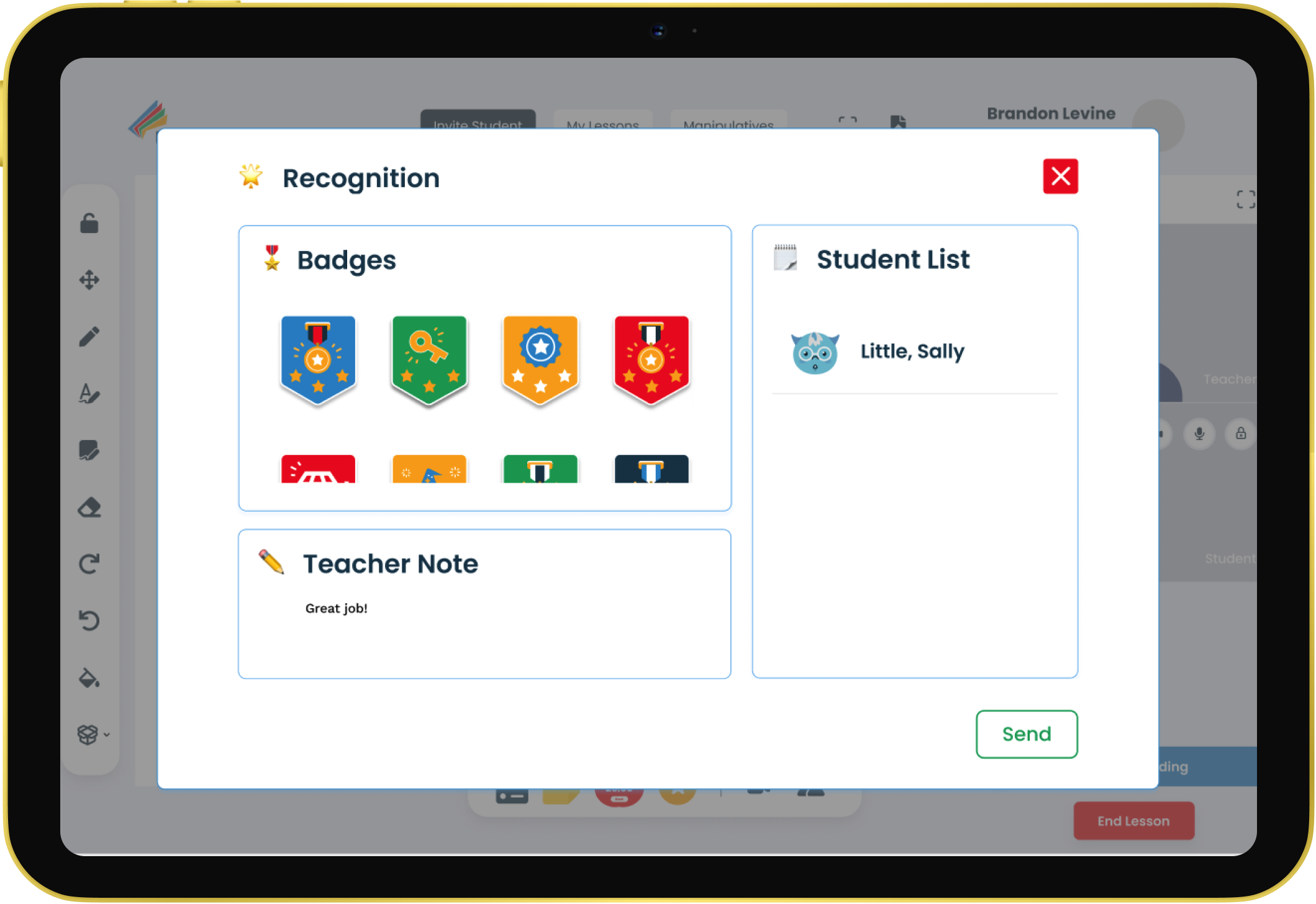
Design a gamified learning experience that enables the Educator to efficiently provide positive reinforcement throughout a student session. With consistent use of gamification strategies the Educator can develop a relationship with students that fosters confidence and builds self-esteem, creating a safe learning space for students to make mistakes.
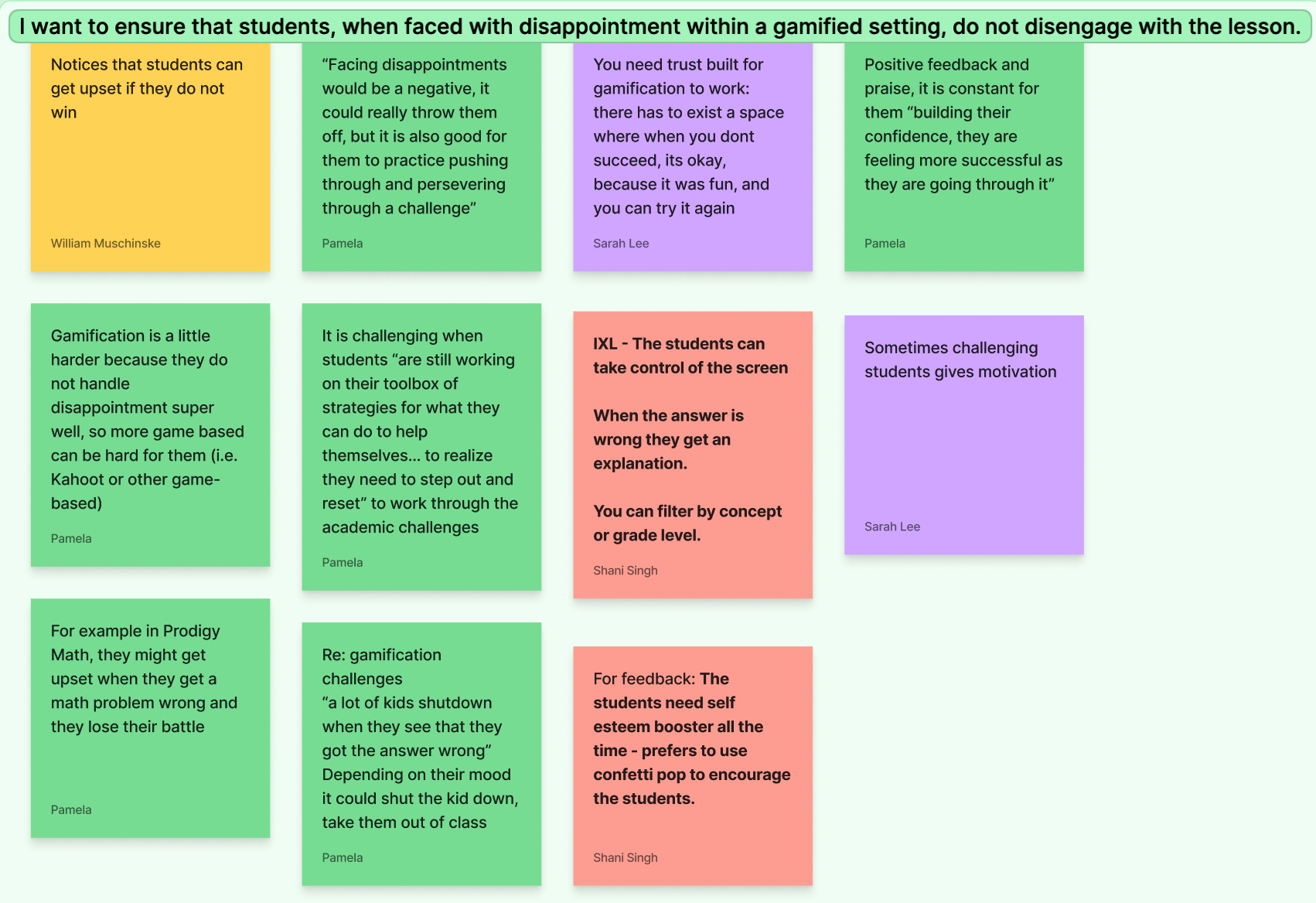
Affinity map
Develop
Mid-Fidelity Prototype
After brainstorming and sketching, we discussed and consolidated our ideas.
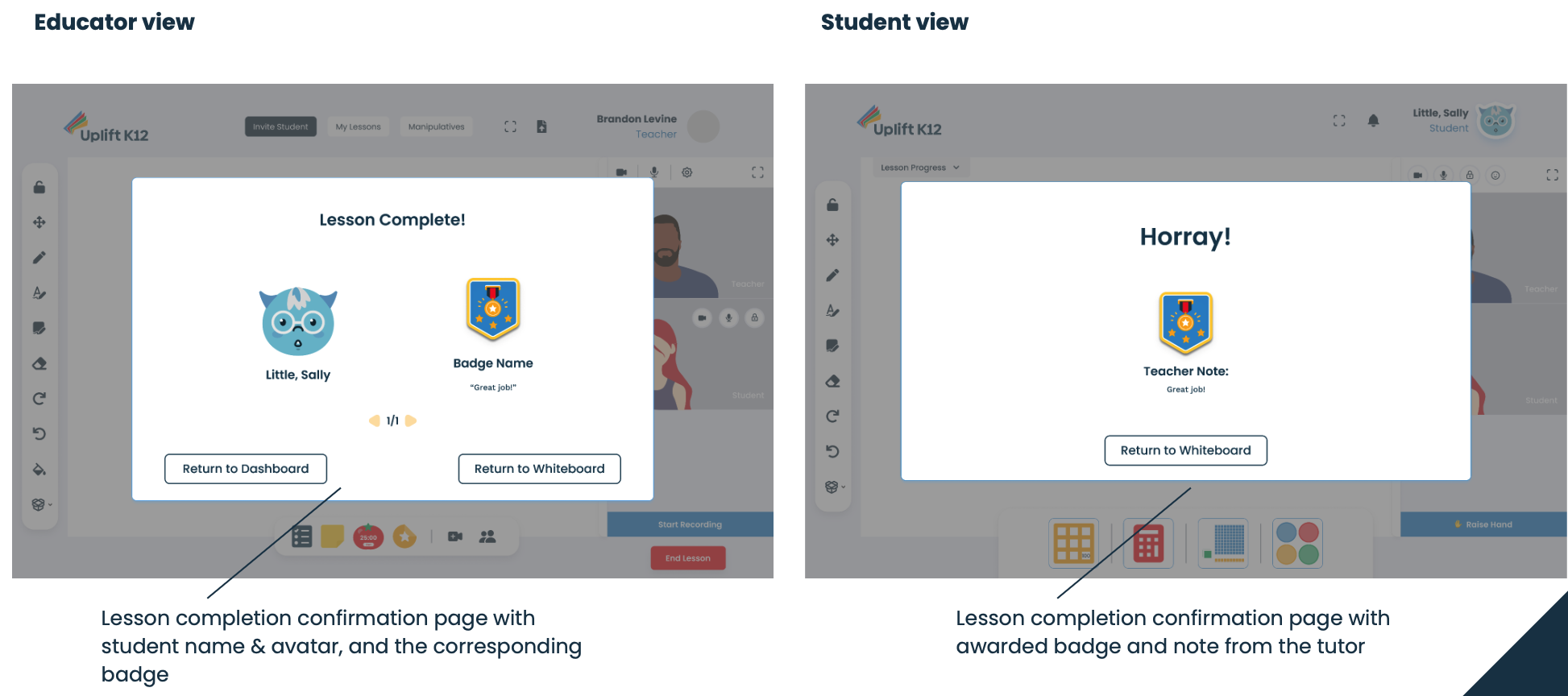
We then developed a mid-fidelity prototype to bring those sketches to life with Uplift K12’s interface.
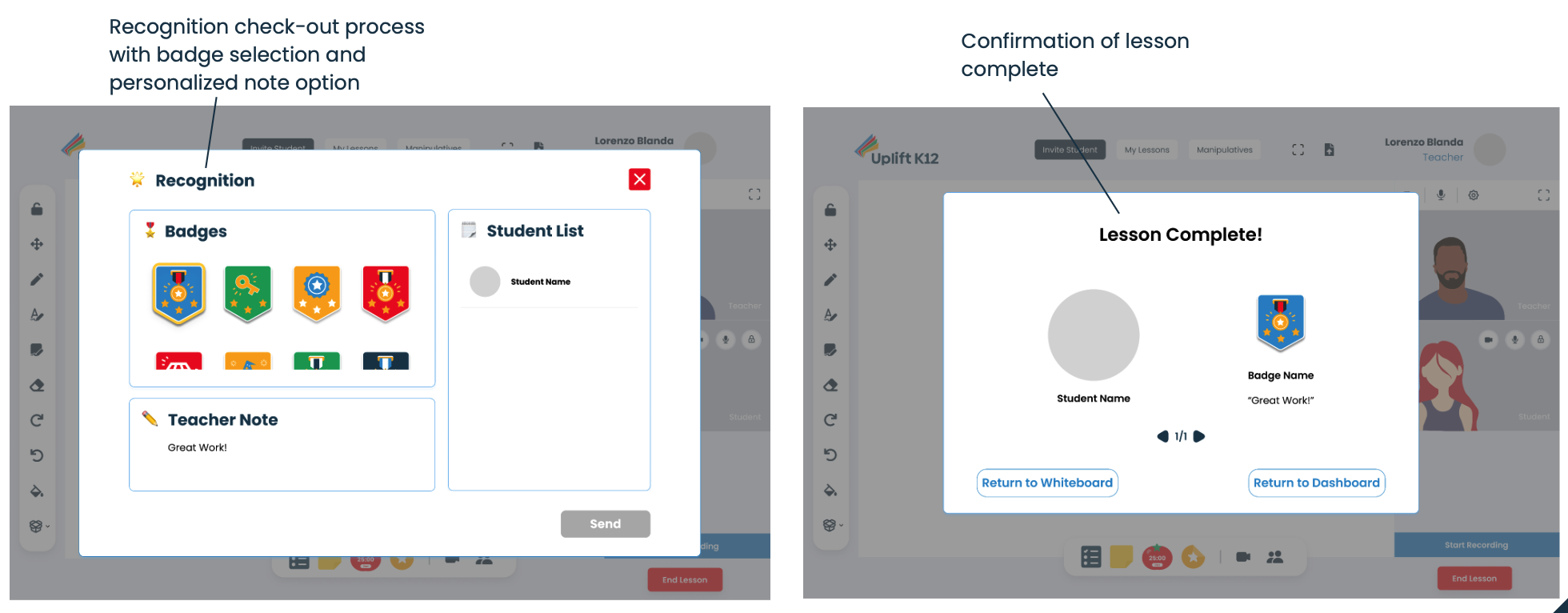
We conducted 5 usability tests with current Uplift K12 users. Here’s what we found:
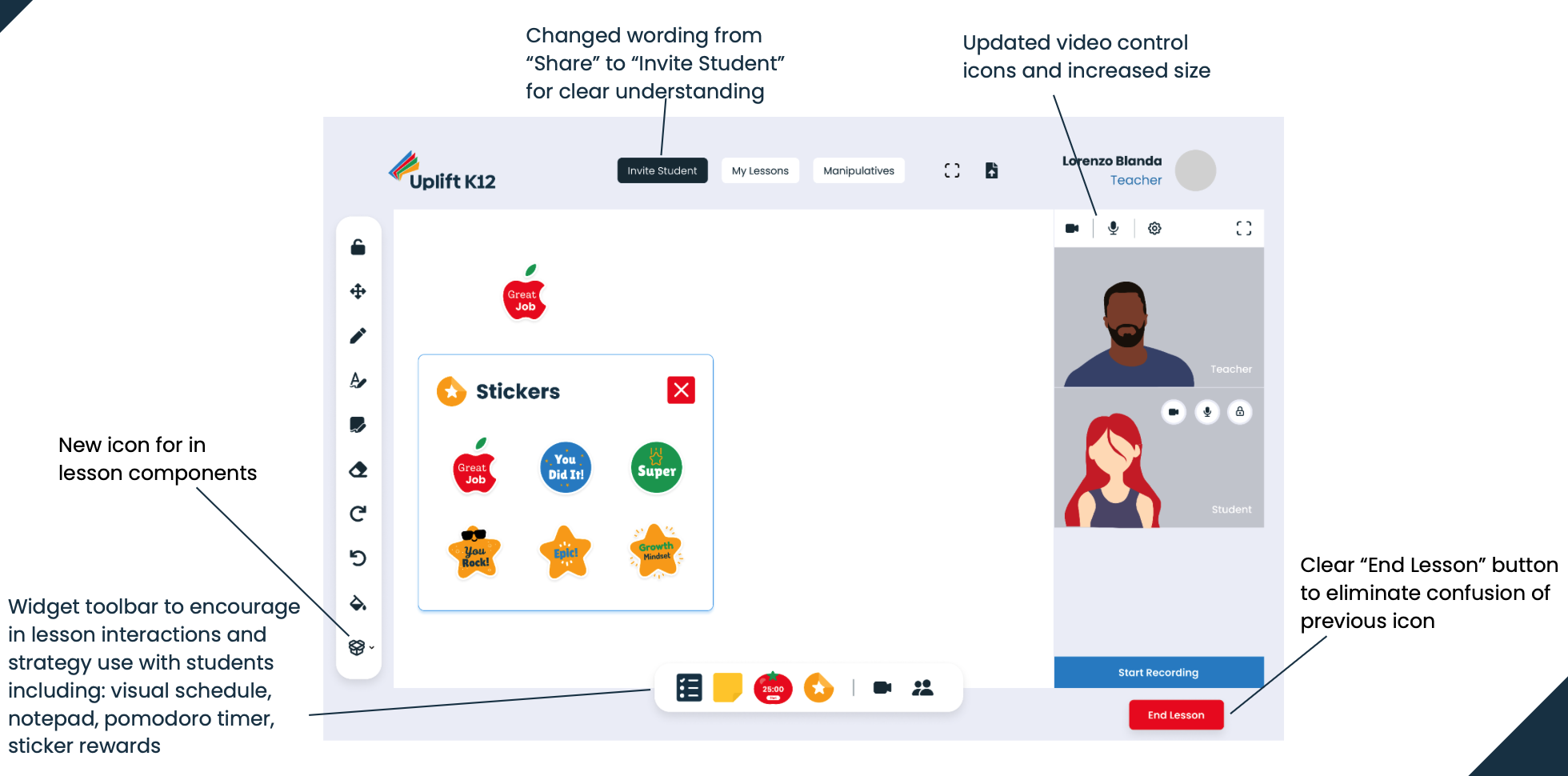
3 out of 5 users had some confusion over icon similarity for two separate functions
5 out of 5 indicated signifiers of a selected badge was not significant enough to determine which was being selected
4 out of 5 users hesitated with action buttons, unsure of their functionality as a result of their lack of color
Testing Our Solution on Users
Mid-Fidelity Modifications
After examining the user feedback from testing our mid-fidelity prototype, we made the necessary modifications to our added features and adding color to buttons.
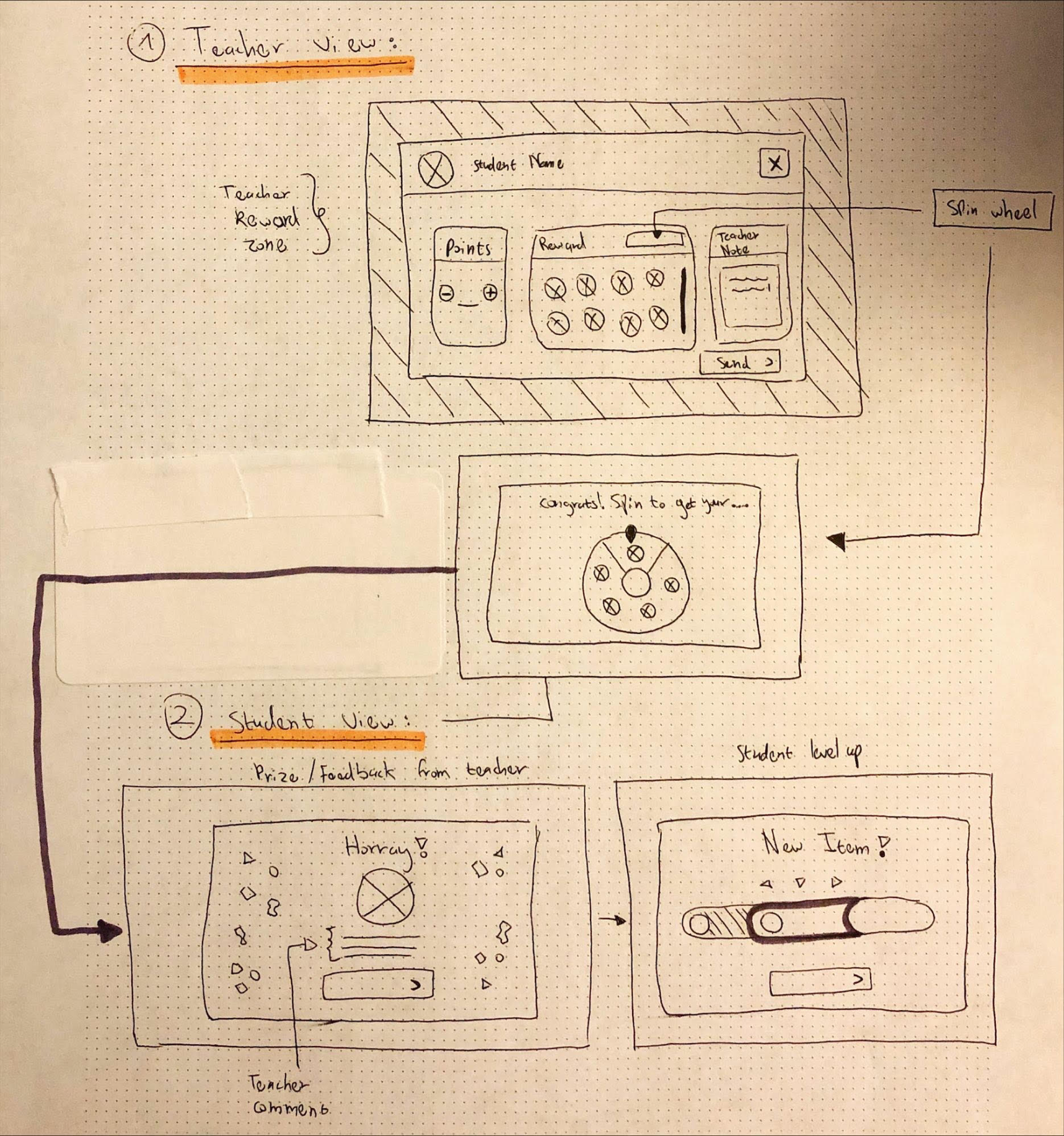
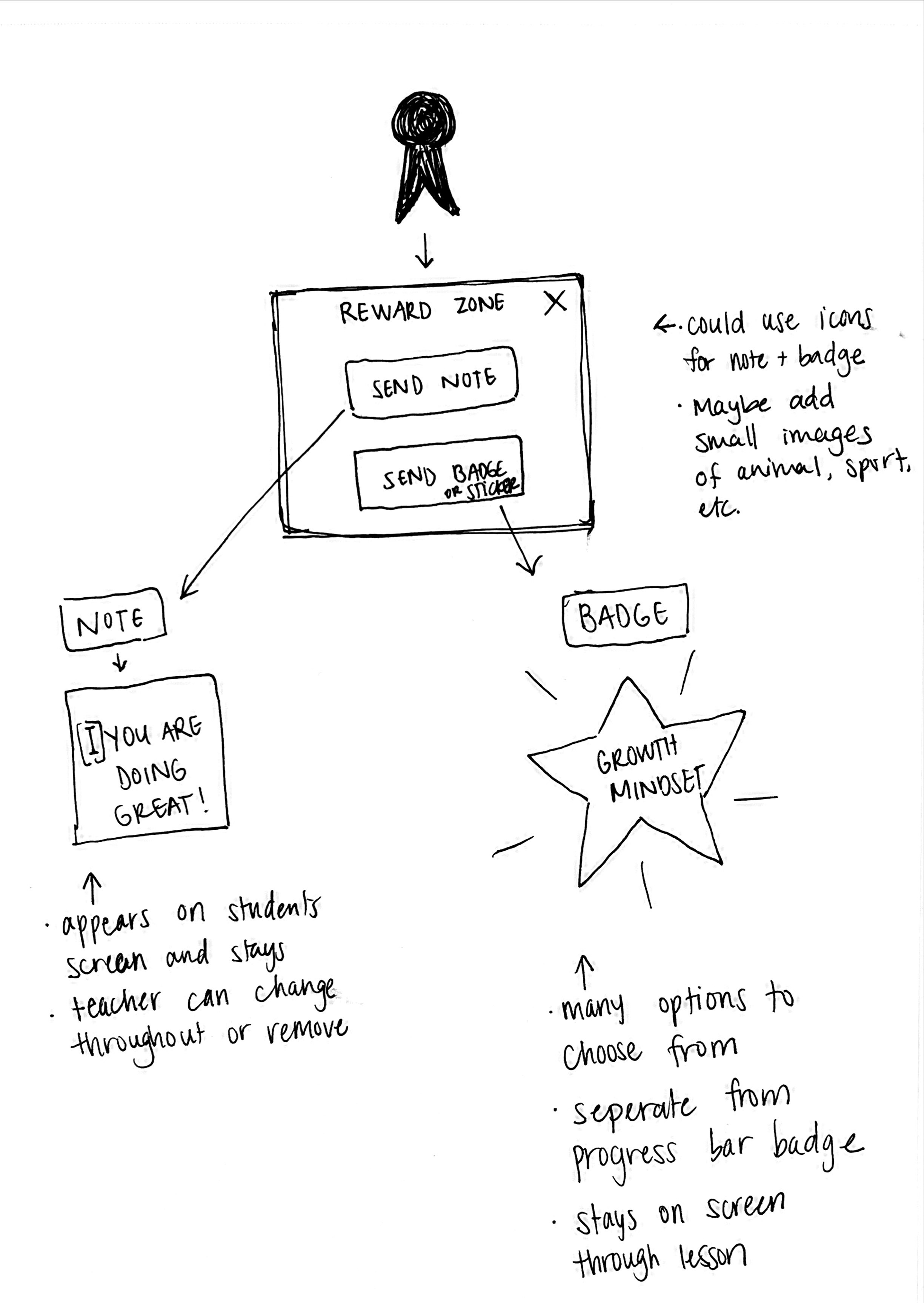
Solving the Problem with Solution
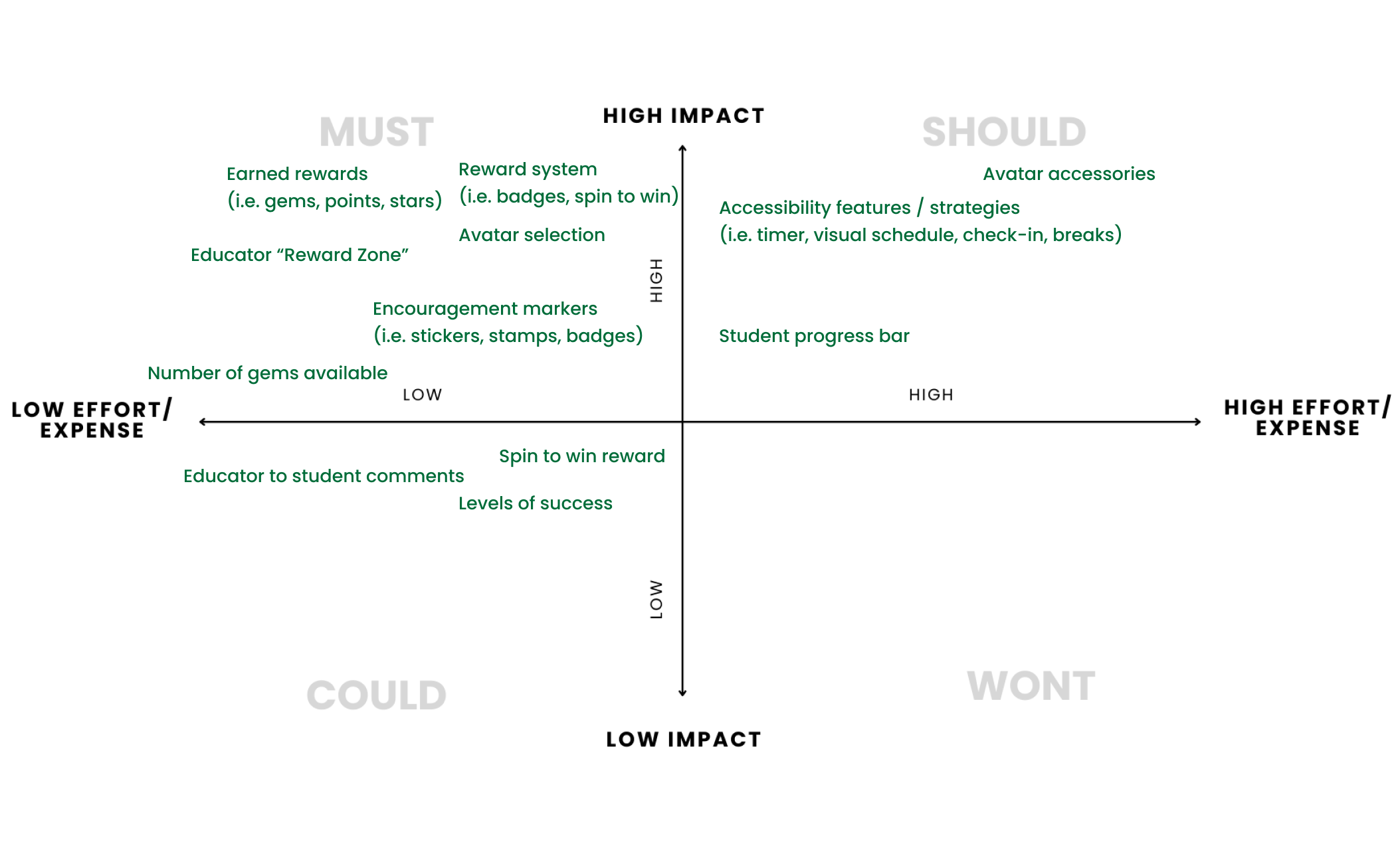
To prioritize our feature ideas, we utilized the MoSCoW method, which involved categorizing them based on their level of importance. We determined their importance by analyzing our data and identifying the issues that our users were facing.
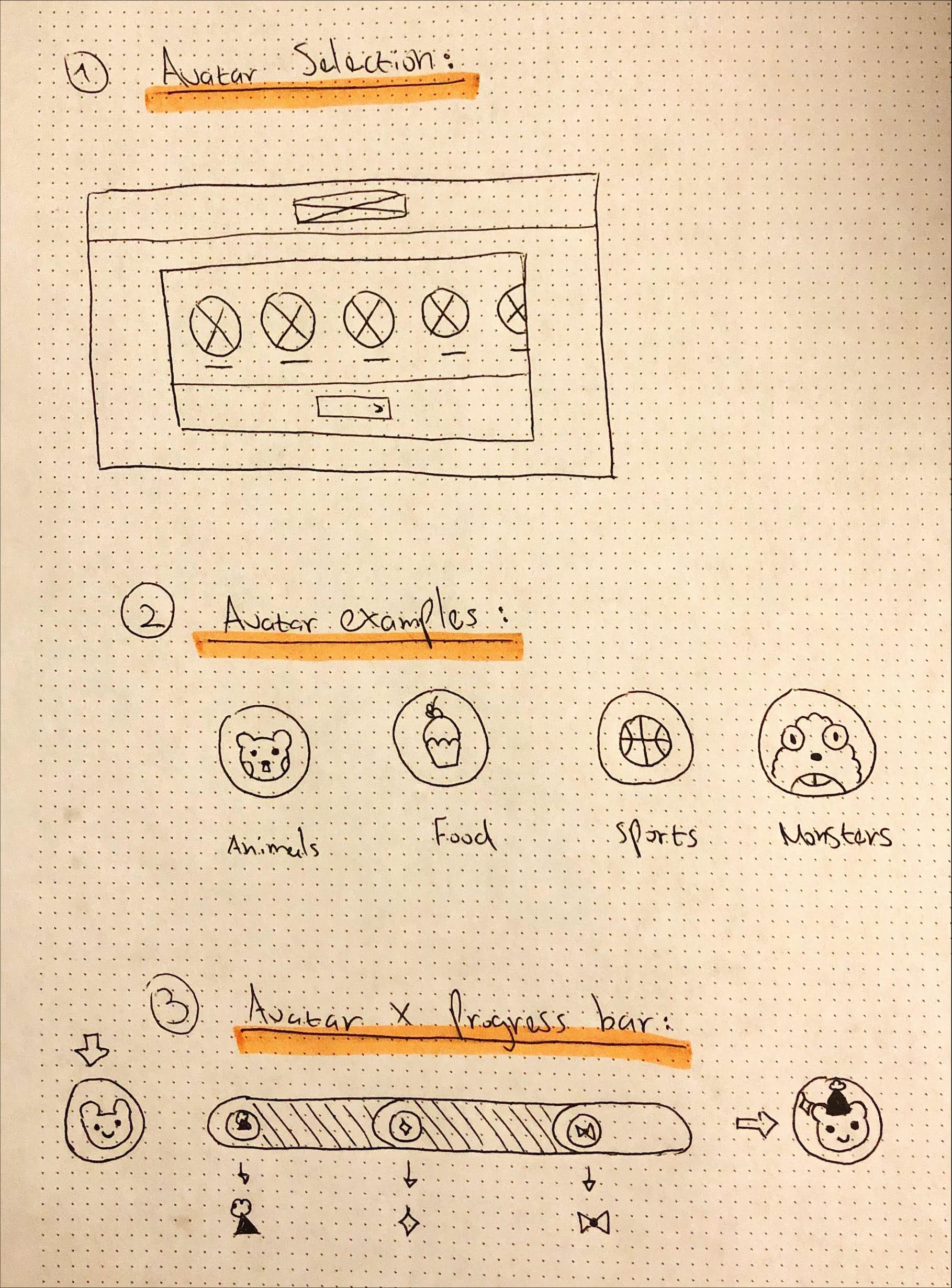
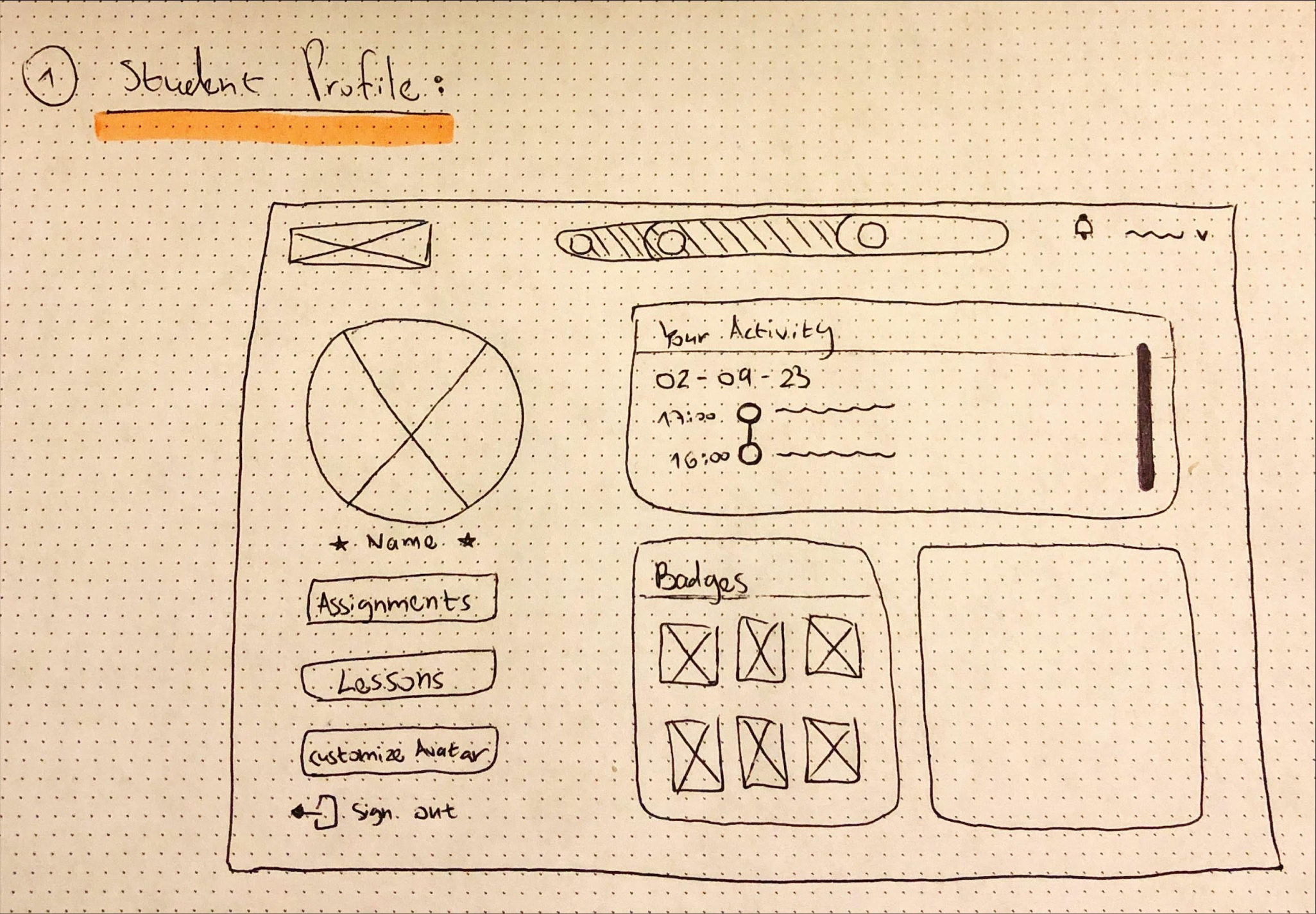
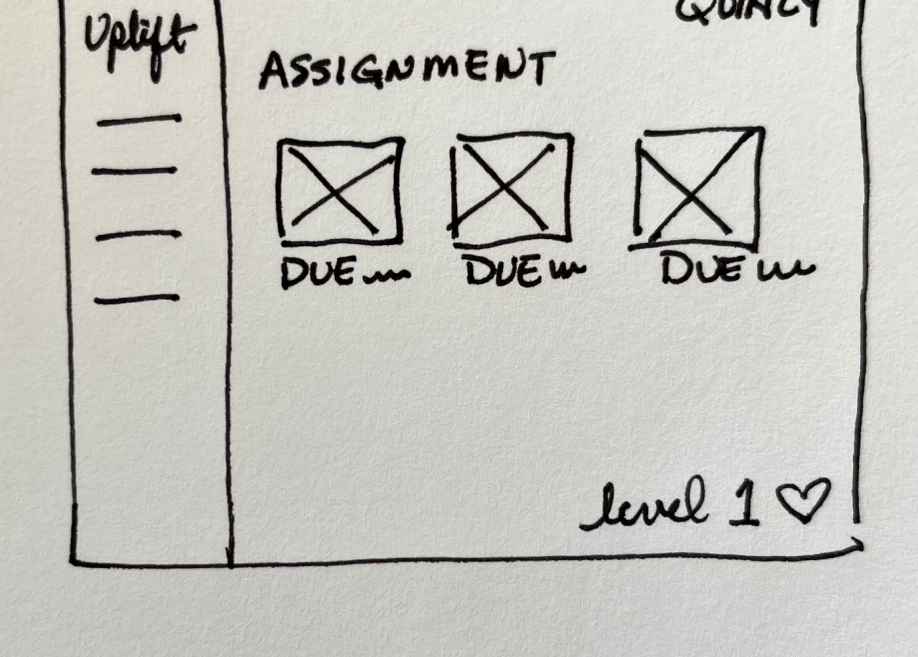
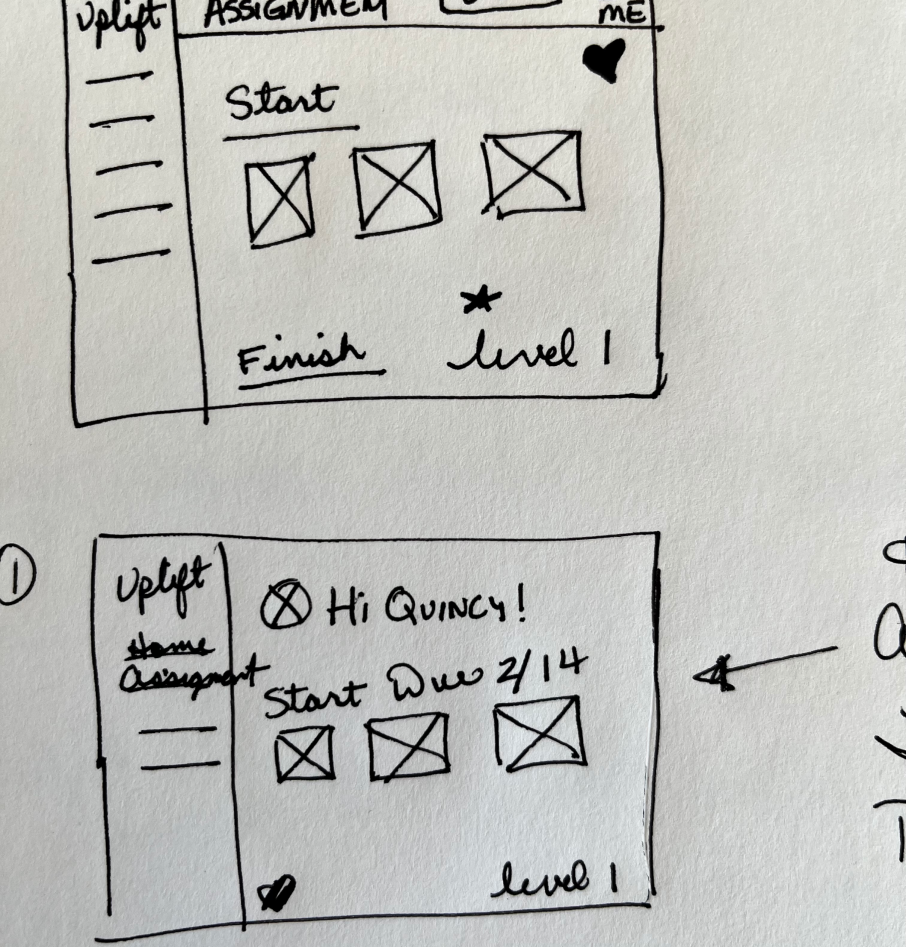
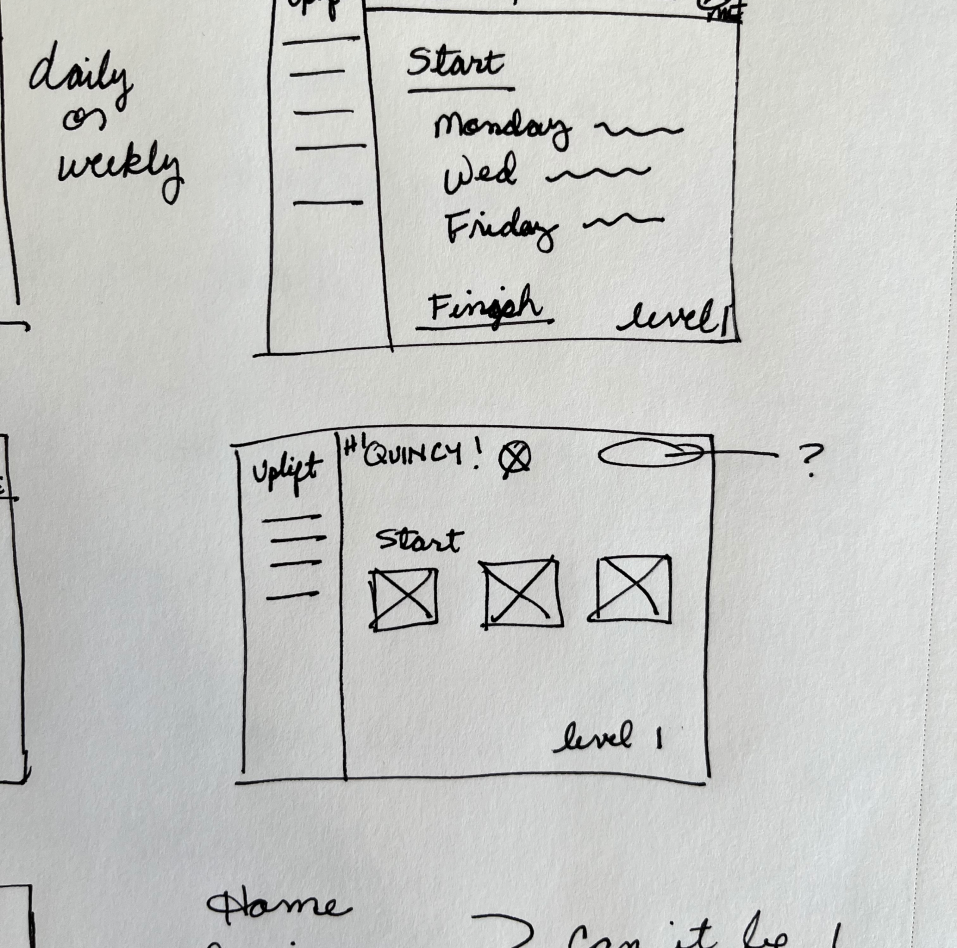
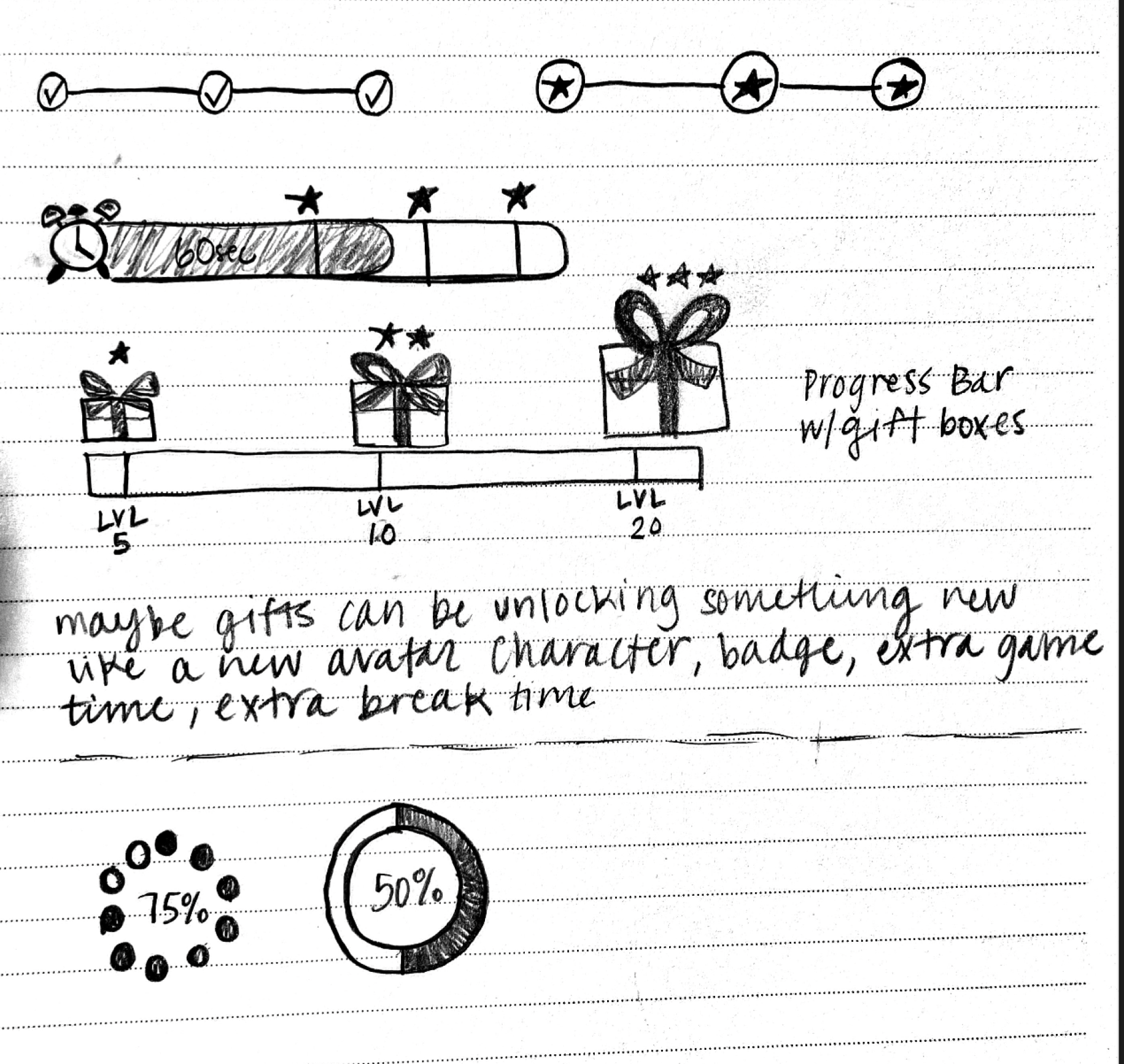
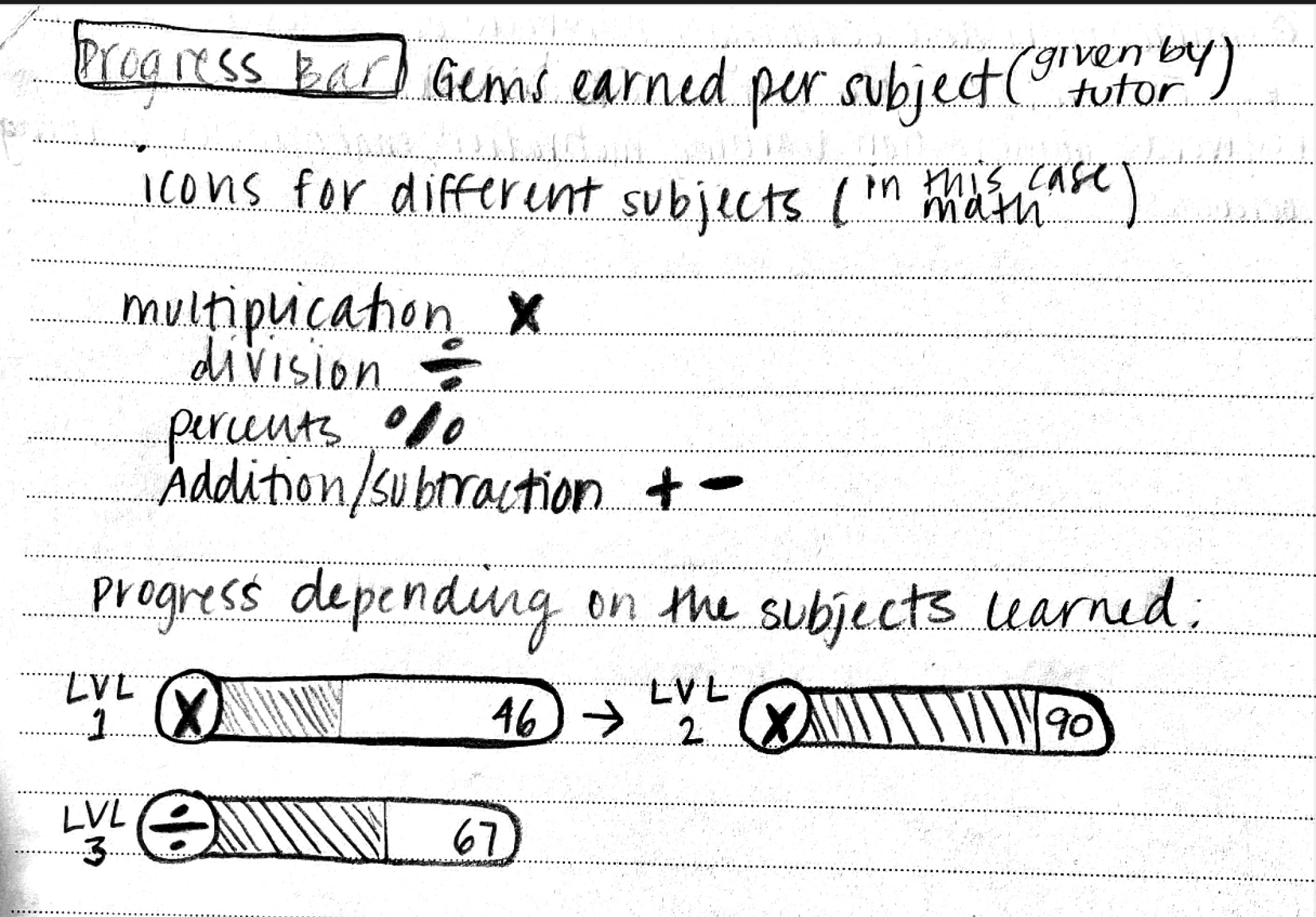
Pen to Paper Brainstorming
Student Portal/Dashboard
Reward Systems - Progress Bar and Badges
Avatar Selection
MoSCoW Method
Deliver
Finalizing Our Solution
Hi-Fidelity Prototype
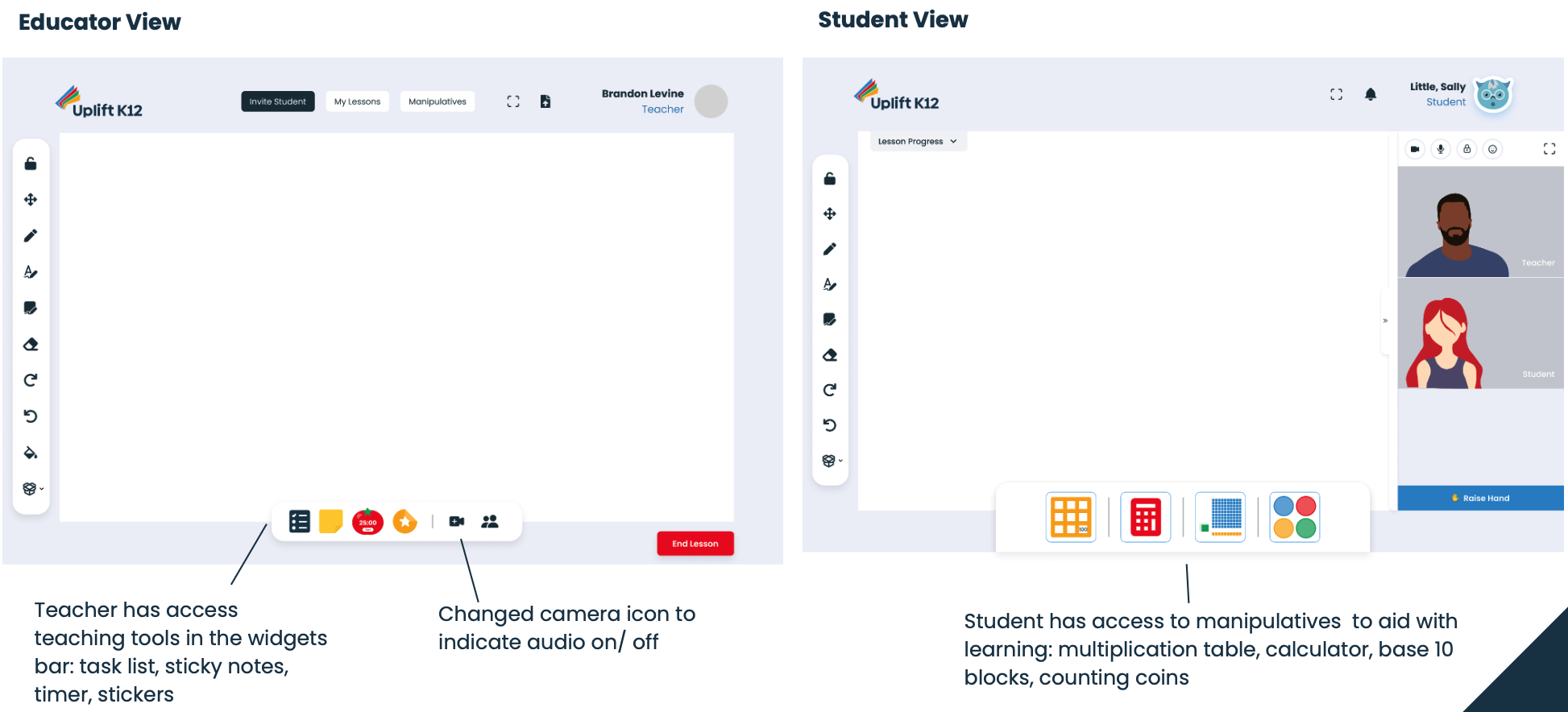
After implementing the modifications from our user feedback, we transformed our mid-fidelity into our final design.